[ 01 / 06 ]// Spreadsheets & data //

Cresard Tables

Free and open source · alpha

Fast, native spreadsheets,
rebuilt in pure Rust.

Ribbon tabs, formula bar, 500+ calculation functions, dynamic arrays, PivotTables and charts - in a native spreadsheet that reads and writes .xlsx files, keeps your data on your machine and lets an agent drive every command it has.

Download Cresard Launcher

Installer · v0.1.0

MSI installer for Cresard Launcher · installs Cresard Tables

checksumsevery file

  • Windows x64
  • Portable zip, no install
  • Free · MIT or Apache-2.0
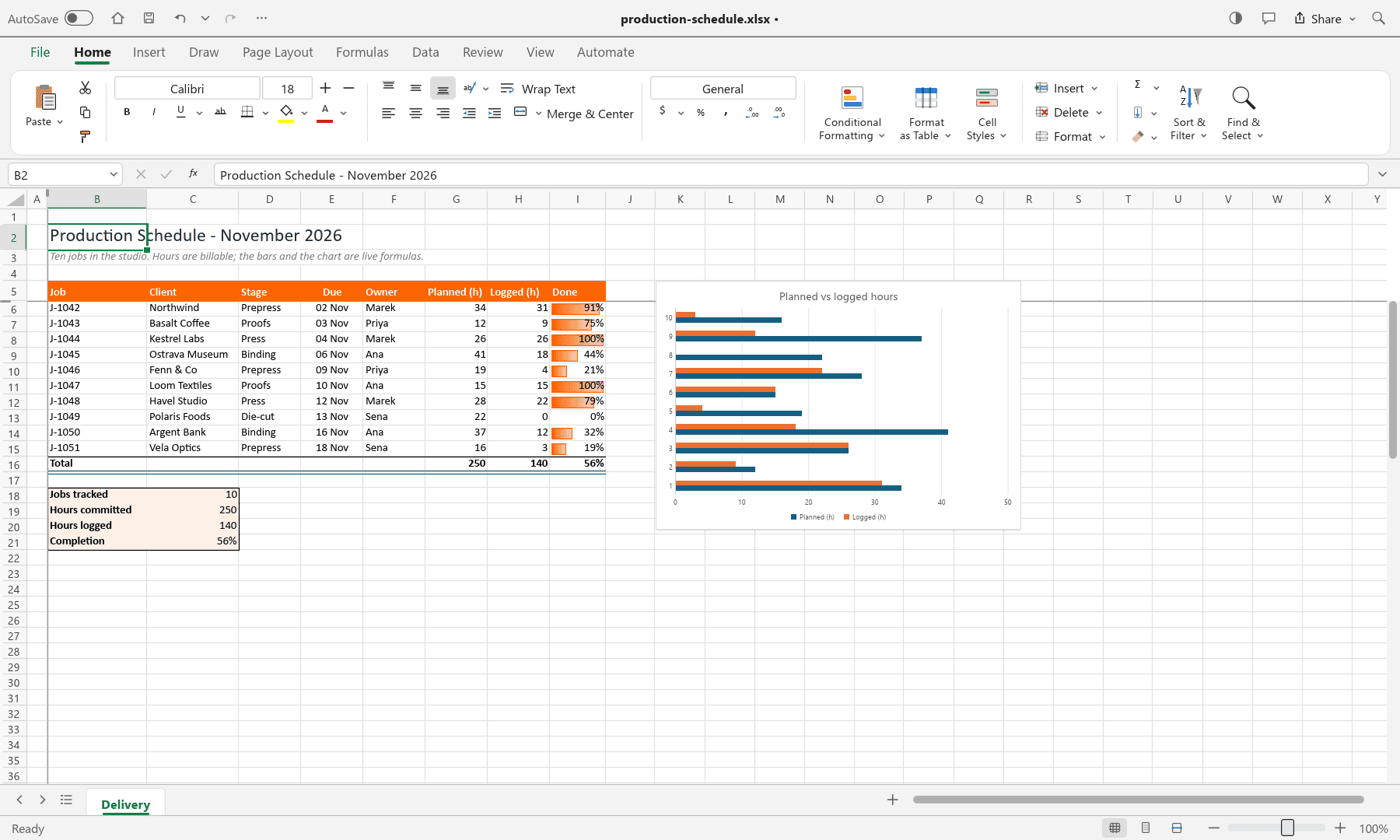
Cresard Tables - production-schedule.xlsxDelivery
Cresard Tables showing a production schedule: a ten-row table with a brand-orange header, formula-driven totals, orange data bars in a Done column, a summary block and a bar chart comparing planned with logged hours
[ 02 / 06 ]

Cresard Launcher.
The one download that installs Cresard Tables.

v0.1.0 for 64-bit Windows 10 and 11. The launcher installs Cresard Tables and keeps it updated.

Recommended

Cresard Launcher

The launcher downloads Cresard Tables, checks its SHA-256, installs it and tells you when a newer version appears. No separate updater service and no scheduled task - unless you turn on "Start Cresard Launcher when I log in", which starts it hidden in the tray.

Download Cresard Launchercresard-launcher-windows-x64-portable.zip

sha256 fb6e418504e6569574cda4c2556e4725a99de163dd9734780f5b740f0dbf1e81

Direct

Cresard Tables Setup

The installer for Cresard Tables alone: per-machine, adds a Start-menu entry and an optional desktop shortcut. No auto-updates - download a new build here when one is out.

Download Cresard Tables Setupcresard-tables-windows-x64.msi

sha256 e39a437acc0ae0b4939da583d50512a664996762ac32eb75a6c1e1df75f663b7

What happens next

  1. 01Download the launcherThe button above gives you one file: the Cresard Launcher .zip.
  2. 02Unzip and run itUnpack the folder and run Cresard Launcher. On first open it offers to install Cresard Tables. Windows may say “Windows protected your PC” - choose More info, then Run anyway: the build isn't code-signed yet, so SmartScreen has no signature to trust. The SHA-256 above is how you confirm the file instead.
  3. 03Cresard Tables is installedOpen Cresard Tables from the Start menu. The launcher keeps it updated and lists any other Cresard Desk apps you add later.

Verify the download

Every build's SHA-256 is published. Compare it before you run anything:

Get-FileHash .\cresard-launcher-windows-x64-portable.zip -Algorithm SHA256

v0.1.0 · 2026-10-20
Launcher icon updated, white default theme, cresard blue #1d4ed8, feed accepts raw.githubusercontent URLs for Tables release.

[ 03 / 06 ]

Captured in
Cresard Tables.

Every picture here is the Windows build, taken through its own control channel with a workbook made for this page. Nothing in it is a mock-up.

A production schedule with a brand-orange header row, a totals row, orange data bars in the Done column, a four-line summary block and a bar chart comparing planned with logged hours
A schedule that adds itself up
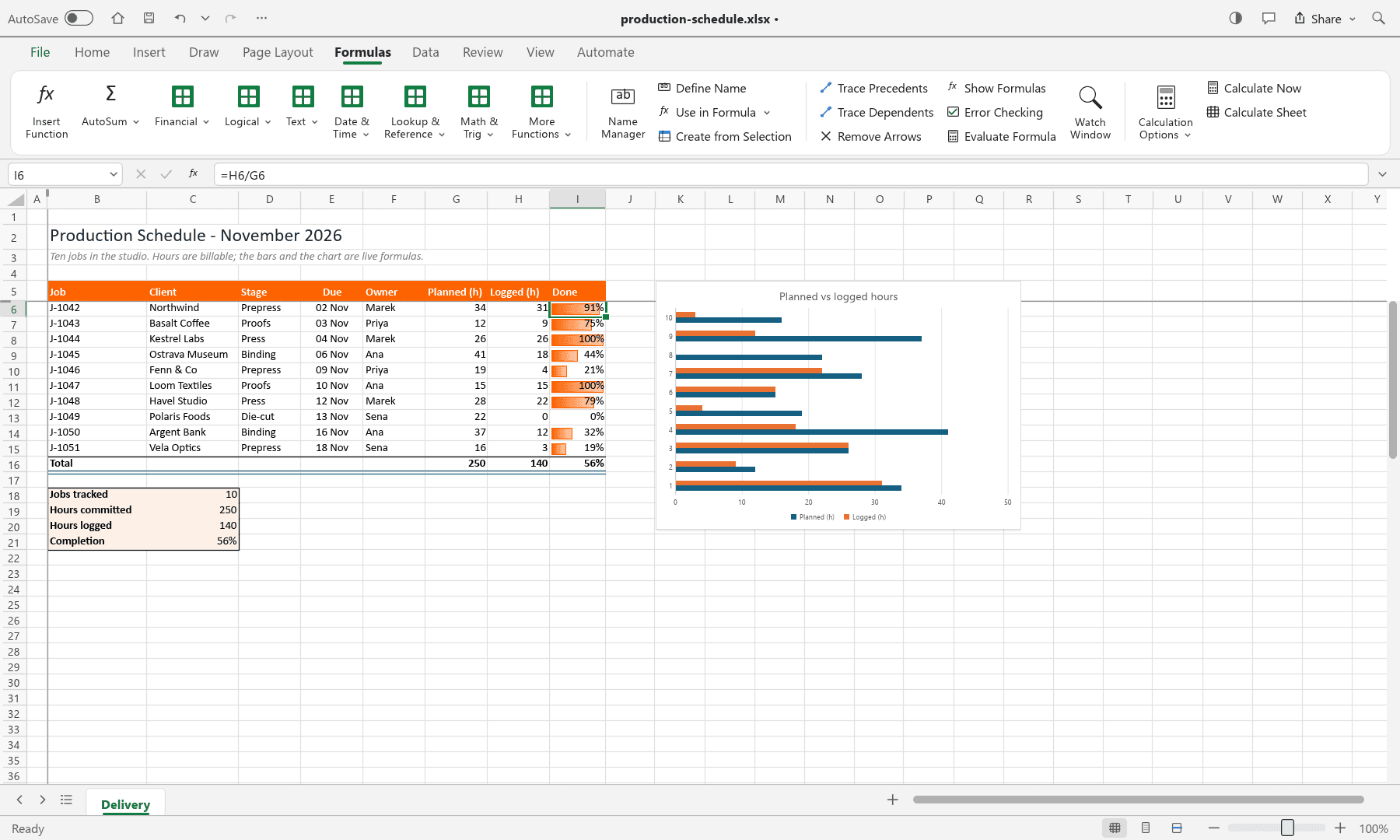
The same schedule with the Formulas ribbon tab open, a cell selected and =H6/G6 shown in the formula bar
Formulas and the function library
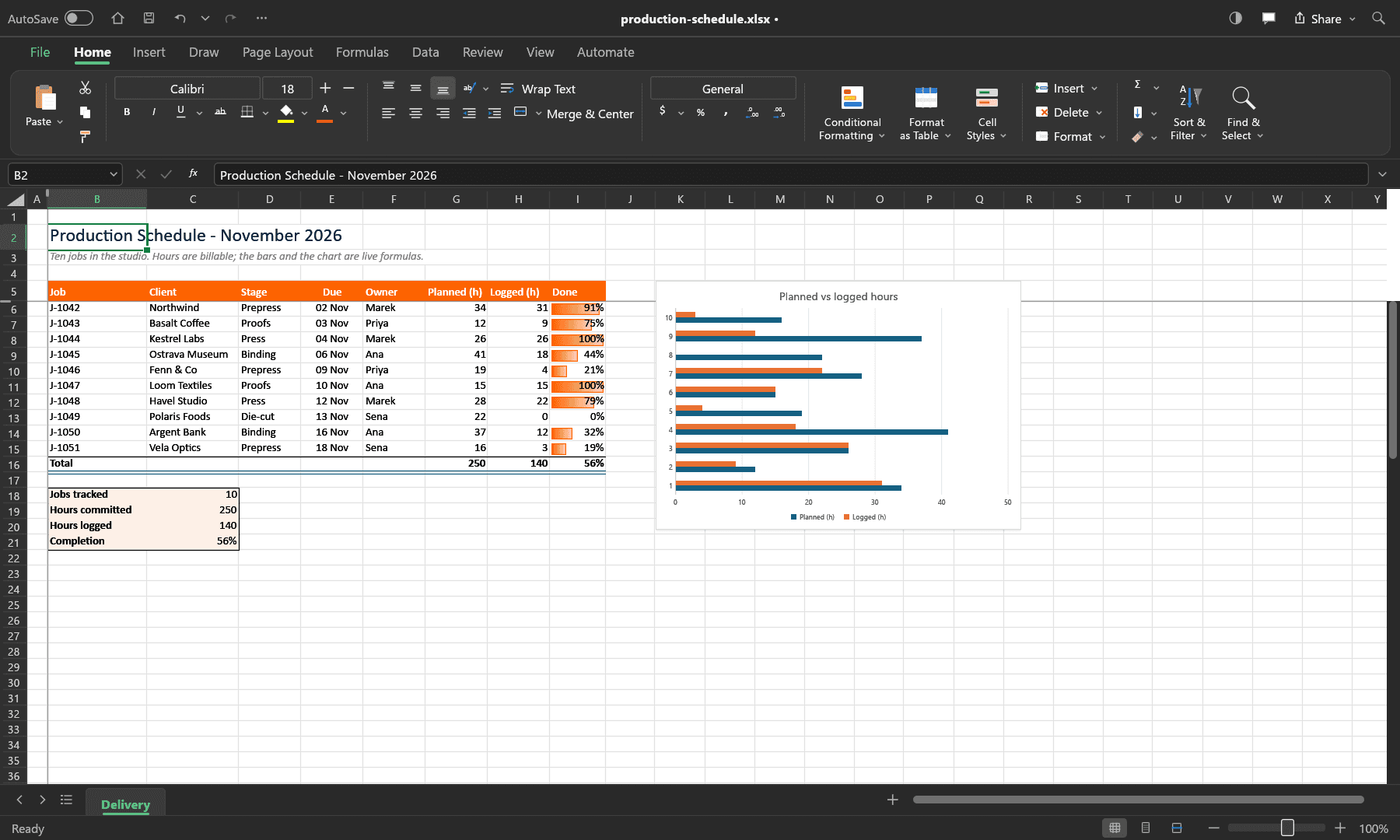
The same schedule in dark mode: a dark ribbon, title bar and tabs, with the sheet itself still on its paper colour
Dark mode: the chrome darkens, the sheet stays paper
[ 04 / 06 ]

What's inside,
if you already know Excel.

Cresard Tables is a clean-room rebuild, not a wrapper: the engine, the UI and the file format are ours and Excel's vocabulary is the one it speaks.

01

The spreadsheet workflow

Formula bar, Name Box, sheet tabs, fill handle, coloured cell references, conditional formatting and the shortcuts you already use.

02

XLSX is the native format

Styles, themes, formulas, dynamic arrays, tables, validation, comments, hyperlinks, charts, sparklines, PivotTables and print settings round-trip.

03

500+ calculation functions

A dependency-graph engine with spilling dynamic arrays, LET, LAMBDA, MAP, REDUCE, SCAN, BYROW and structured table references.

04

Charts and PivotTables

Seventeen chart types with real formatting, plus PivotTables with field lists, filters, layouts, date grouping and show-values-as.

05

Fast by construction

Copy-on-write workbooks make undo snapshots nearly free, recalculation is incremental and the grid only lays out what is on screen.

06

Agent-native automation

Every ribbon button, menu item, dialog and formula is a command, reachable over an MCP server, the CLI or a JSON control channel.

[ 05 / 06 ]

Everything you can click,
an agent can call.

The same command layer the ribbon uses is exposed three ways: a headless CLI, an MCP server for AI agents and a JSON control channel that also drives real pointer and keyboard input, dialogs and screenshots.

  • every ribbon button, menu item and dialog is a command
  • the CLI runs headless, on a server, with no window
  • the control channel screenshots the app for tests
cresard-tables-cli.exe
› cresard-tables-cli eval '=XLOOKUP("b",{"a","b"},{1,2})'
› cresard-tables-cli run --sample budget --cmd 'home.bold={"range":"B4:F4"}' --out budget.xlsx
› cresard-tables-cli cat budget.xlsx --range B4:F15
› claude mcp add cresard-tables -- cresard-tables-cli mcp
[ 06 / 06 ]// Straight answers //

Free, local,
and honest about alpha.

Open source means you can hold us to it: the downloads and their notices are public, checksums and all.

What does it cost?
Nothing. Cresard Tables is free software, dual-licensed under the MIT licence or Apache-2.0, at your option. There is no subscription, no licence server and no account.
Where does my data go?
Nowhere. Workbooks open from and save to your own disk and the app has no telemetry. Your settings and log live in %APPDATA%\Cresard Tables on Windows and the folder is yours to delete.
Will my Excel files open?
XLSX files round-trip with their styles, formulas, tables, charts, PivotTables and print settings. Excel 97-2003 .xls files open with their values, formulas and number formats and XLSB and ODS worksheet data can be imported.
Is it finished?
No. It is an alpha: the core workflow works end to end, but fidelity on real-world workbooks and depth in some features are still rough. Keep a copy of anything you care about.
Does it say Cresard all over it, or Excel?
It is an independent project and is not affiliated with Microsoft. It uses Excel feature names to describe the workflows it is compatible with and no Microsoft artwork, icons or templates anywhere.

Cresard Desk, the firm tool this site is about, is invite-only while we onboard teams. Cresard Tables is not: it is a standalone open-source app and this page is its home.

Cresard Desk access